Why Developers Need a Different Link-in-Bio
Developers have a finely tuned bullshit detector. A pastel Linktree page with gradient buttons screams "influencer" — not "engineer." If you're a developer, DevRel creator, open-source contributor, or technical educator, your link-in-bio page is part of your brand. It needs to feel authentic to a technical audience.
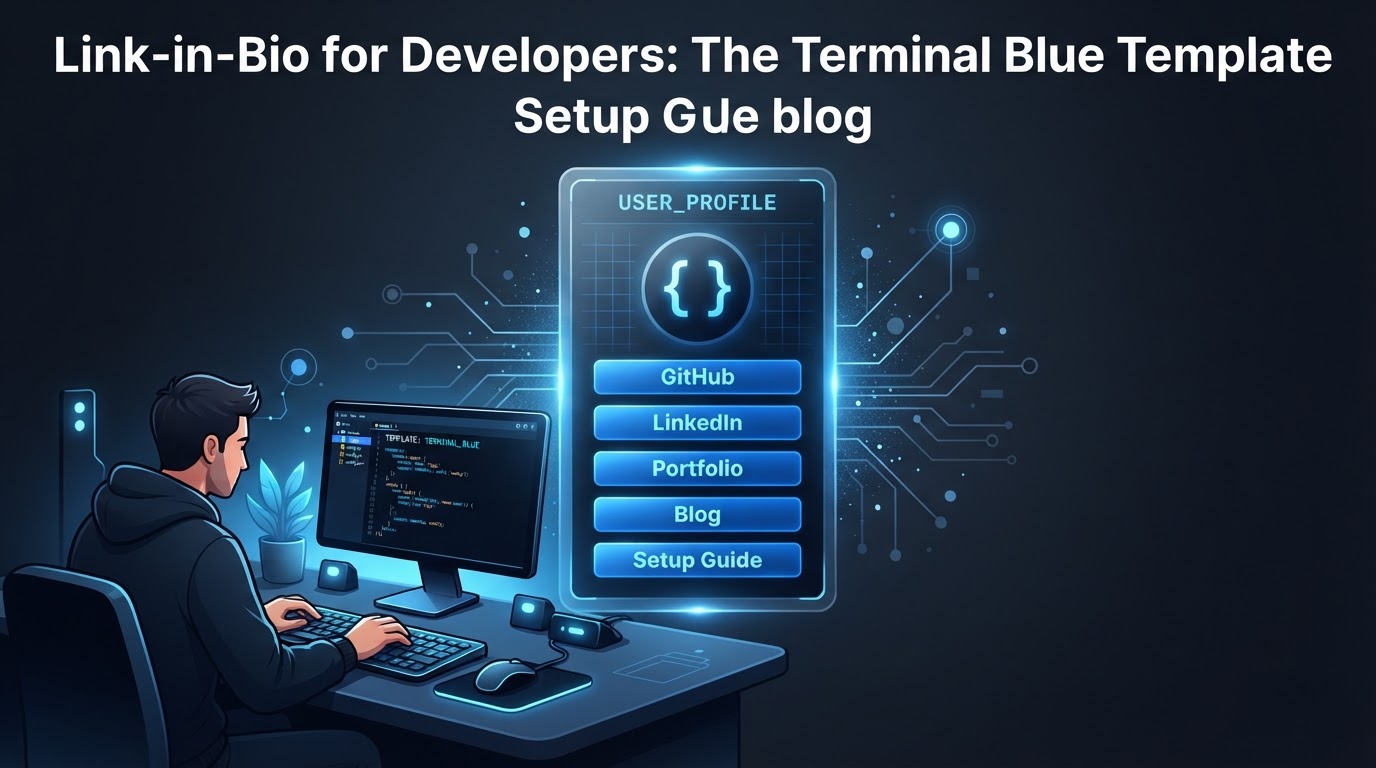
Flonix's Terminal Blue template does that. Dark background, blue accent, clean typography, and a layout that feels like documentation rather than a marketing page.
The Terminal Blue Template
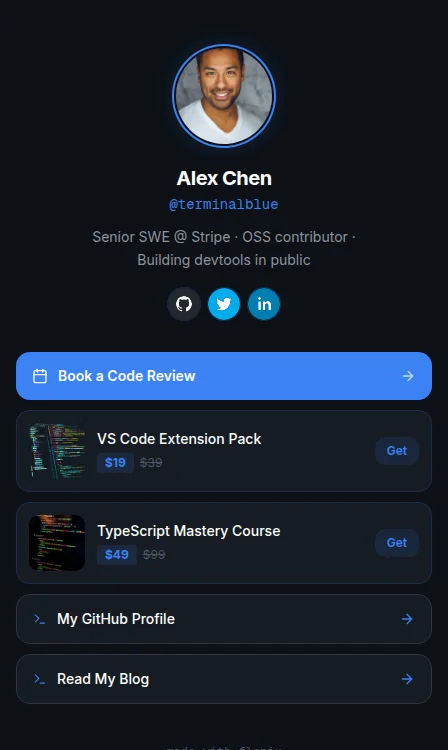
- Layout: Dark Terminal — monospace-inspired, high-contrast dark background
- Accent colour: Blue (#3b82f6)
- Background: Solid dark (#0a0a1a)
- Best for: Software engineers, DevRel creators, open-source contributors, dev educators, technical founders
Recommended Link Structure for Developer Creators
- Book a Code Review / Architecture Call — Cal.com or Calendly link (Flonix auto-detects and styles as booking card)
- TypeScript Mastery Course — product block with price and compare-at (your Gumroad or course platform URL)
- My GitHub Profile — link to your GitHub with the GitHub branded social block
- Read My Technical Blog — link to your Substack, Hashnode, or dev.to
- VS Code Extension / Open-Source Project — your most popular project
GitHub and Twitter/X get pride of place in the social blocks section. For developer audiences, these two platforms are the primary credibility signals — more than follower count.
Bio Copy for Developers
Technical audiences respect specificity. Drop the buzzwords:
- ✅ "Senior SWE @ Stripe · OSS contributor · Building devtools in public"
- ✅ "Staff engineer · TypeScript + Rust · 12k GitHub stars · Writing about systems"
- ❌ "Passionate developer helping others level up their skills" (too vague)
Include your current employer or most recognisable project. For a developer audience, "formerly @ Google" or "built X with 10k stars" is worth more than 10 lines of personal branding copy.
Selling Technical Content
Developer creators can monetise through code review sessions, architecture consultations, TypeScript/Rust/Go courses, VS Code extension packs, and technical ebooks. Flonix product blocks support all of these with pricing and compare-at prices.
The Terminal Blue layout's white-on-dark product cards look like VS Code marketplace listings — a familiar format that builds trust with technical buyers before they've consciously processed why.
Flonix Pro for Developers — $6/Month
Flonix Pro at $6/month includes Smart Link Optimization (auto-ranks your links by actual click data — no manual guessing about whether your course or your GitHub should go first), full analytics including referrer and country data, and Instagram automations. For a developer who values data-driven decisions, Smart Link Optimization is the most intellectually honest approach to link ordering available in any link-in-bio tool.
Frequently Asked Questions
What is the best link-in-bio for software engineers?
Flonix's Terminal Blue template is the best link-in-bio for software engineers and developer creators. Its dark, minimal aesthetic matches the visual expectations of technical audiences, with GitHub and Twitter social blocks as first-class citizens.
Can I show my GitHub stats on my link-in-bio?
Flonix social blocks include a direct link to your GitHub profile with the GitHub icon. Dynamic GitHub stat widgets (stars, contributions) are not currently supported in Flonix's standard blocks.
Is Flonix better than Linktree for developer creators?
For developer creators specifically, yes. Terminal Blue's dark layout is purpose-built for a technical audience — Linktree has no equivalent. Flonix Pro at $6/month also includes Smart Link Optimization and 0% commission, both of which Linktree's $15/month Pro plan doesn't offer.