In today's fast-paced digital landscape, businesses are increasingly turning to WhatsApp as a primary channel for customer communication, sales, and support. Managing these interactions efficiently, especially as teams grow, requires a robust solution. This is precisely where Flonix WhatsApp CRM steps in, offering a powerful combination of a shared inbox and intelligent automations designed to streamline your customer conversations and boost team productivity.
The Challenge: Scaling Customer Communication on WhatsApp
WhatsApp has evolved from a personal messaging app into a vital business tool. For businesses of all sizes, it offers an unparalleled direct line to customers, fostering closer relationships and facilitating quicker sales cycles. However, as customer volume grows, managing these conversations effectively on a standard WhatsApp Business app quickly becomes overwhelming. Challenges include:
- Lack of Centralization: Customer messages are scattered across multiple devices or individual agent inboxes, leading to missed queries and inconsistent responses.
- Collaboration Hurdles: Teams struggle to collaborate on customer issues, resulting in duplicate efforts, delayed resolutions, and a poor customer experience.
- Repetitive Tasks: Agents spend valuable time answering frequently asked questions, looking up order statuses, or sending standard follow-up messages, reducing their capacity for more complex or high-value interactions.
- Scalability Issues: As your business expands, adding more agents to manage WhatsApp without a proper system leads to chaos rather than efficiency.
- Compliance and Risk: Using unofficial tools or workarounds for team access can put your WhatsApp Business account at risk of being banned, disrupting your entire communication channel.
These challenges highlight the critical need for a specialized solution that not only centralizes WhatsApp communication but also empowers teams with tools for collaboration and automation. This is where a dedicated WhatsApp CRM, like Flonix WhatsApp CRM, becomes indispensable.
Introducing Flonix WhatsApp CRM: Your All-in-One Solution
Flonix WhatsApp CRM, accessible at wa.flonix.pro, is a robust platform specifically engineered for businesses that communicate and sell through WhatsApp. Built on the foundation of the official WhatsApp Business API (Meta), it guarantees full compliance, eliminating the risk of account bans often associated with unofficial tools. As part of the broader Flonix platform, it offers seamless Single Sign-On (SSO), allowing you to manage your WhatsApp operations alongside other business functions with a single account.
Flonix WhatsApp CRM is designed to scale with your team, offering a free-to-start model that grows as your needs evolve. It transforms your WhatsApp presence from a single-user bottleneck into a dynamic, collaborative, and highly efficient customer engagement hub. Its core features address the most pressing challenges faced by businesses on WhatsApp, ensuring that every customer interaction is managed professionally and effectively.
- Shared Team Inbox: Unifies all WhatsApp conversations, allowing multiple agents to manage a single WhatsApp number.
- Contact Management and Segmentation: Organize your customer base for targeted communication.
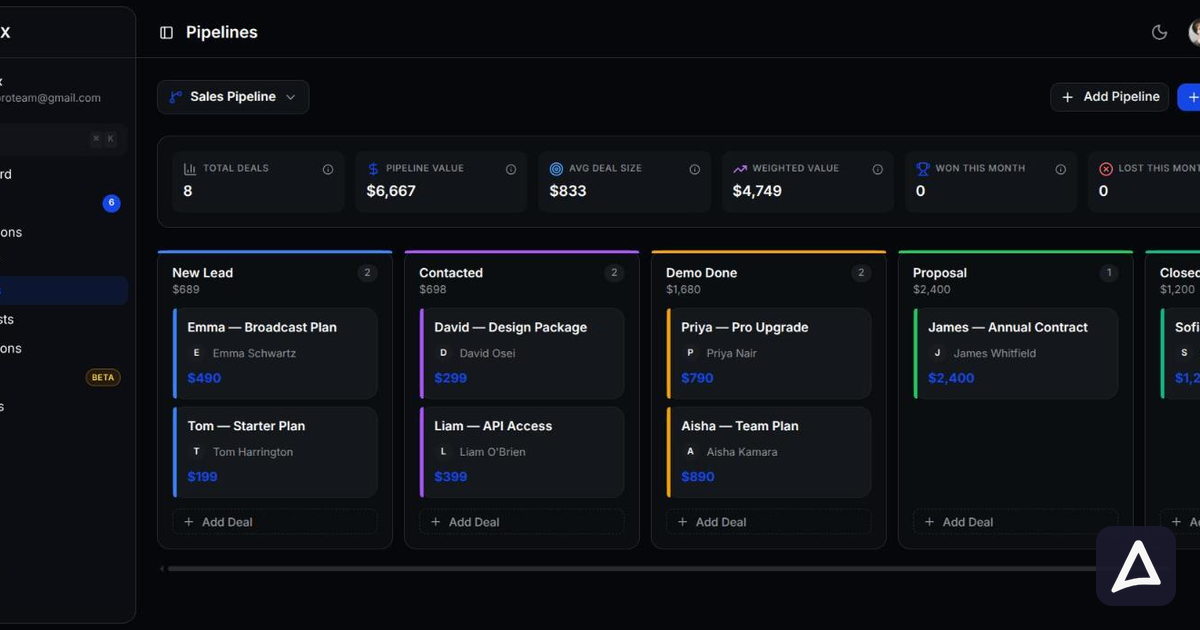
- Conversation Pipeline with Deal Stages: Track leads and sales progress directly within WhatsApp.
- Automated Response Flows and Chatbot Builder: Handle routine queries and qualify leads instantly.
- Broadcast Campaign Management: Send promotional messages and updates to segmented audiences.
- CSAT Surveys: Measure customer satisfaction post-interaction.
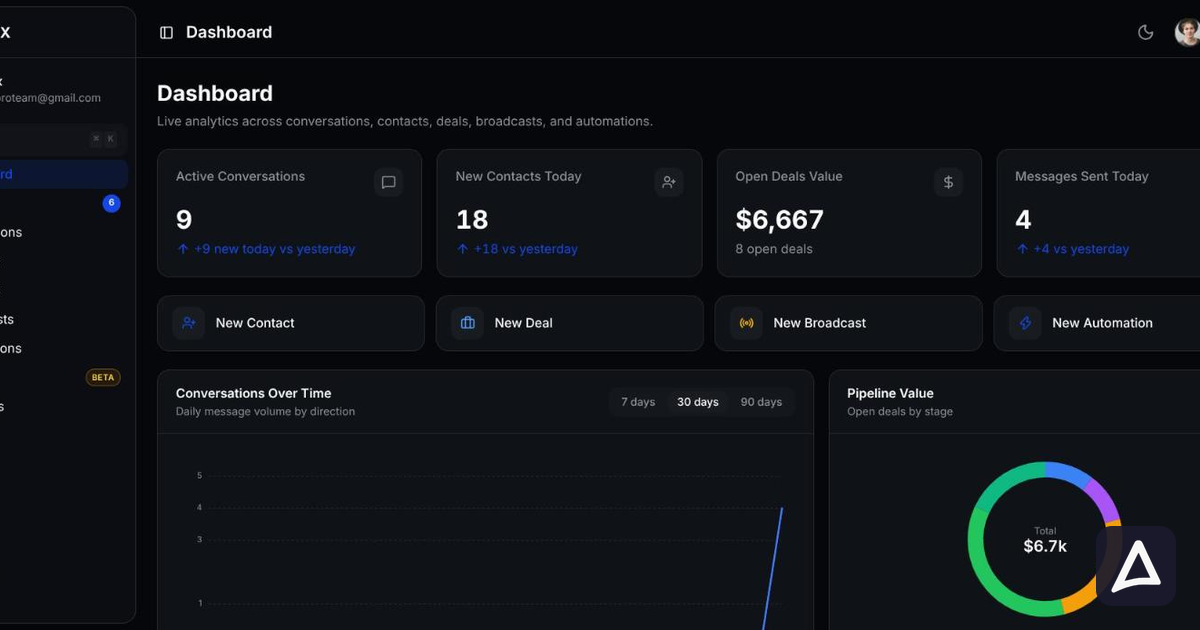
- Analytics Dashboard: Gain insights into team performance and customer engagement.
While all these features contribute to a powerful WhatsApp strategy, the synergy between the shared inbox and automation capabilities truly unlocks transformative potential.
Mastering the Shared Inbox: Collaboration, Clarity, and Control
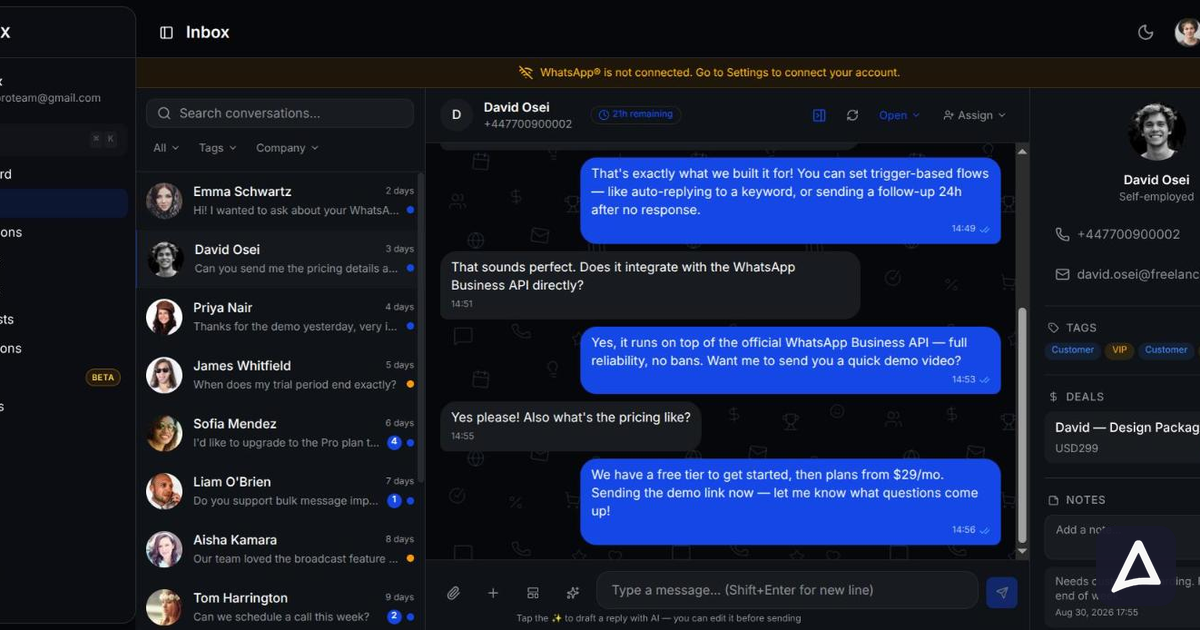
The shared team inbox is the heart of Flonix WhatsApp CRM, revolutionizing how your team handles customer inquiries. Instead of relying on a single device or individual agent accounts, all incoming messages to your business's WhatsApp number are centralized in one accessible platform. This ensures no message goes unnoticed and every customer receives timely attention.
Seamless Assignment Strategies
Efficiently distributing conversations among your team is crucial for quick responses and balanced workloads. Flonix WhatsApp CRM offers flexible assignment methods:
- Manual Assignment: Agents or managers can manually assign conversations to specific team members based on expertise, availability, or workload. This is ideal for complex cases requiring specialized knowledge.
- Round-Robin Assignment: For general inquiries or support, conversations can be automatically distributed equally among available agents. This ensures fair workload distribution and consistent response times across the team.
- Keyword-Based Routing: This intelligent assignment method uses keywords detected in customer messages to route conversations to the most appropriate team or agent. For example, a message containing "pricing" might go to the sales team, while "refund" is directed to customer support. This significantly speeds up resolution by connecting customers with the right person from the start.
Internal Collaboration Tools
Effective teamwork is paramount, and Flonix WhatsApp CRM provides tools to facilitate seamless internal communication:
- Internal Notes: Agents can add private notes to any conversation, visible only to other team members. This is invaluable for sharing context, updating colleagues on progress, or providing instructions for follow-up, ensuring continuity even when different agents handle a case.
- Collision Prevention: Imagine two agents typing a response to the same customer simultaneously. This common issue leads to confusion and inefficiency. Flonix WhatsApp CRM's collision prevention feature shows who is currently viewing or typing in a conversation, preventing duplicate efforts and ensuring a coordinated response.
Efficient Organization and Accessibility
Keeping track of numerous conversations requires robust organizational features:
- Conversation Tagging and Search: Categorize conversations using custom tags, such as "sales lead," "technical issue," "VIP customer," or "pending follow-up." These tags make it easy to filter, search, and retrieve specific conversations, providing quick access to historical context and enabling targeted follow-ups.
- Mobile Access: Your team can manage conversations on the go. Flonix WhatsApp CRM offers mobile accessibility, ensuring agents can respond to customers, update notes, and collaborate with colleagues regardless of their location, maintaining business continuity and responsiveness.
Unleashing the Power of WhatsApp Automations
While the shared inbox organizes human interaction, automations in Flonix WhatsApp CRM handle the repetitive, time-consuming tasks, ensuring instant responses and consistent service quality around the clock. These automations are not just about sending canned replies; they're about creating intelligent workflows that enhance the customer journey and empower your team.
Instant Responses with Keyword Triggers
Keyword-triggered flows are the backbone of instant customer service. When a customer sends a specific word or phrase, Flonix WhatsApp CRM can automatically respond with relevant information or initiate a more complex sequence:
- Product/Service Information: If a user sends "price," the system can automatically send a pricing card, a link to your product catalog, or details about a specific service.
- Order Status Lookups: A customer texting "order" or "status" can trigger an automation that asks for their order number and then provides an update, reducing the need for agent intervention.
- FAQs: Common questions like "shipping" or "return policy" can be answered instantly with pre-written responses, freeing agents to focus on unique inquiries.
Proactive Engagement with Time-Based Sequences
Automations aren't just reactive; they can be proactive, ensuring no customer falls through the cracks:
- Follow-up Reminders: If an agent sends a quote and the customer doesn't reply within 2 hours, a time-based sequence can automatically send a polite follow-up message, ensuring leads are nurtured effectively.
- Abandoned Cart Reminders: For e-commerce businesses, an automation can be set up to remind customers about items left in their cart after a certain period.
- Post-Purchase Check-ins: A few days after a purchase, an automation can send a message to check on customer satisfaction or offer related products.
Always-On Support: Working Hours and Chatbots
Customer inquiries don't adhere to business hours, and Flonix WhatsApp CRM ensures you're always responsive:
- Working Hours Auto-Reply: Automatically inform customers about your business hours and when they can expect a human response. This manages expectations and provides a professional touch.
- Chatbot for Common FAQs before Agent Handoff: A sophisticated chatbot can handle initial inquiries, answer frequently asked questions, gather necessary information, and even qualify leads before seamlessly handing off the conversation to a live agent. This ensures agents receive well-contextualized and qualified leads, making their work more efficient.
Closing the Loop: Post-Resolution CSAT Surveys
Understanding customer satisfaction is vital for continuous improvement. Flonix WhatsApp CRM can automatically trigger CSAT surveys after a conversation is marked as resolved. This provides immediate feedback on your team's performance and identifies areas for improvement, contributing to higher service quality.
The Synergy: Shared Inbox and Automations Working Together
The true power of Flonix WhatsApp CRM lies in the intelligent integration of its shared inbox and automation capabilities. These two features are not isolated but rather form a cohesive system that elevates your customer communication strategy from reactive to proactive, and from chaotic to streamlined.
The Automated First Contact Advantage
When a customer initiates contact, the automation layer of Flonix WhatsApp CRM is the first responder. This means:
- Instant Acknowledgment: Every message receives an immediate reply, setting a positive tone and managing customer expectations.
- 24/7 Availability: Automations work around the clock, providing basic support and information even outside business hours.
- Initial Qualification: Chatbots can ask a series of questions to understand the customer's intent, gathering crucial data before a human agent gets involved.
Intelligent Lead Qualification and Routing
This is where the magic happens. After the initial automated interaction, Flonix WhatsApp CRM uses the information gathered to make smart routing decisions:
- If the customer's query is simple and can be fully resolved by an automation, no human intervention is needed, saving agent time.
- If the query requires human attention, the automation can route the conversation to the most appropriate team or agent based on keywords, previous interactions, or information collected by the chatbot. For example, a customer asking about "pricing for enterprise solutions" might be directly routed to a senior sales executive, while a "technical bug report" goes to the support team.
- The shared inbox then presents this pre-qualified and pre-routed conversation to the designated agent, complete with all prior automated interactions and any gathered context.
The result is a significantly faster first response, a higher resolution rate, and agents who can focus their expertise on complex issues that truly require human empathy and problem-solving skills. The overall customer experience is smoother, and your team operates with unparalleled efficiency.
Real-World Workflow Example: E-commerce Success with Flonix
Let's illustrate this synergy with a practical scenario for an e-commerce store using Flonix WhatsApp CRM:
- Customer Inquiry: A customer messages the e-commerce store's WhatsApp number saying, "Hi, I want to know my order status."
- Automation Trigger: Flonix WhatsApp CRM's automation detects the keyword "order status" or "my order."
- Automated Response and Information Gathering: The automation immediately replies, "Hello! Please provide your order number so I can check its status for you." The customer replies with their order number, for example, "Order #FLX12345."
- Intent Analysis and Further Automation/Handoff:
- Scenario A: Order Status Lookup: The automation processes "Order #FLX12345" and integrates with the store's backend system to retrieve the status. It then sends back, "Great news! Your order #FLX12345 has been shipped and is expected to arrive by [Date]. You can track it here: [Tracking Link]." This conversation is resolved by automation, freeing an agent.
- Scenario B: Complaint Routing: If the customer replies, "I received my order, but the item is damaged," the automation detects keywords like "damaged" or "complaint." Instead of trying to resolve it, it immediately routes the conversation to the "Support Team" in the shared inbox. The assigned support agent sees the full conversation history, including the initial query and the damage report, along with internal notes if the bot added any context.
- Scenario C: Upsell Opportunity Routing: If a customer asks, "Do you have any recommendations for accessories for my new laptop?" after an order, the automation might detect "accessories" and "recommendations," routing the conversation to the "Sales Team." The sales agent receives the lead with full context, ready to upsell.
- Agent Interaction (if applicable): For scenarios B and C, the relevant agent in the shared inbox takes over a pre-qualified conversation. They can then add internal notes for colleagues, tag the conversation ("Complaint - High Priority" or "Sales Lead - Upsell"), and resolve the issue or close the sale efficiently.
- Post-Resolution (Scenario A and B): Once the order status is provided or the complaint is resolved, Flonix WhatsApp CRM automatically triggers a CSAT survey to gauge customer satisfaction.
This workflow exemplifies how Flonix WhatsApp CRM ensures that simple queries are handled instantly by bots, while complex or sales-driven interactions are intelligently routed to the right human agent, complete with context, leading to higher efficiency and superior customer experience.
| Feature/Aspect | Traditional WhatsApp Business App | Flonix WhatsApp CRM (wa.flonix.pro) |
|---|---|---|
| Team Collaboration | Limited to one user/device, no shared inbox. | Shared team inbox, multiple agents on one number. |
| Conversation Management | Basic labels, no advanced segmentation or pipelines. | Contact segmentation, conversation pipeline with deal stages, tagging. |
| Automations | Basic auto-replies, quick replies. | Advanced automations: keyword triggers, time-based sequences, chatbot builder, working hours auto-reply. |
| Agent Efficiency | Repetitive tasks, manual routing, potential for collision. | Automated first contact, intelligent routing, collision prevention, internal notes. |
| Customer Experience | Delayed responses, inconsistent service, limited 24/7 support. | Instant responses, consistent service, 24/7 basic support via chatbot. |
| Scalability | Poor, becomes chaotic with team growth. | Excellent, designed to scale with team size, free to start. |
| Compliance & Risk | Uses personal API, risk of ban with unofficial tools. | Powered by Official WhatsApp Business API (Meta), fully compliant, no ban risk. |
| Analytics & Feedback | None. | Comprehensive analytics dashboard, CSAT surveys. |
Why Flonix WhatsApp CRM Stands Out
Flonix WhatsApp CRM is more than just a tool; it's a strategic asset for any business leveraging WhatsApp for growth. Its adherence to the official WhatsApp Business API ensures your communication channels are secure and compliant, protecting your business from disruption. The seamless SSO integration with the broader Flonix platform simplifies your tech stack, providing a unified experience.
By combining a sophisticated shared inbox with powerful, intelligent automations, Flonix WhatsApp CRM addresses the fundamental challenges of scaling WhatsApp communication. It empowers your team to deliver exceptional customer service, streamline sales processes, and build stronger customer relationships, all while operating with maximum efficiency. Whether you're a small business looking to professionalize your WhatsApp presence or a large enterprise seeking to optimize customer engagement, Flonix WhatsApp CRM offers the flexibility and features to meet your needs.
Frequently Asked Questions
Q: What is a shared inbox for WhatsApp, and why do I need it?
A: A shared inbox for WhatsApp allows multiple team members to access and manage conversations from a single WhatsApp Business number. You need it to centralize customer communication, prevent messages from being missed, enable team collaboration, and ensure consistent, timely responses as your business grows. Flonix WhatsApp CRM provides this essential feature.
Q: How does Flonix WhatsApp CRM prevent multiple agents from replying to the same customer?
A: Flonix WhatsApp CRM includes a collision prevention feature. It visually indicates when another agent is viewing or typing in a particular conversation, ensuring that only one agent is actively engaging with the customer at any given time, thus preventing duplicate efforts and confusion.
Q: Can I set up automated responses for specific keywords with Flonix WhatsApp CRM?
A: Yes, absolutely. Flonix WhatsApp CRM offers robust automation capabilities, including keyword-triggered flows. You can configure the system to automatically send specific responses, gather information, or route conversations based on keywords detected in customer messages, like "price," "order," or "support."
Q: Is Flonix WhatsApp CRM compliant with WhatsApp's policies?
A: Yes, Flonix WhatsApp CRM is built on and powered by the official WhatsApp Business API from Meta. This ensures full compliance with WhatsApp's policies, providing a secure and reliable platform for your business communication without the risk of account bans associated with unofficial tools.
Q: How does the integration of shared inbox and automations benefit my sales process?
A: This integration significantly benefits sales by automating initial lead qualification, instantly answering common sales questions, and intelligently routing high-potential leads to the sales team. Agents receive pre-qualified leads with full context, allowing them to focus on closing deals rather than initial information gathering, accelerating the sales cycle.
Q: Is Flonix WhatsApp CRM suitable for small businesses or just large enterprises?
A: Flonix WhatsApp CRM is designed to be scalable and beneficial for businesses of all sizes. It offers a free-to-start option and scales with your team size, making it accessible for small businesses looking to professionalize their WhatsApp communication and powerful enough for large enterprises managing high volumes of interactions.
The combination of a powerful shared inbox and intelligent automations within Flonix WhatsApp CRM (wa.flonix.pro) is a game-changer for businesses aiming to excel in customer communication on WhatsApp. It empowers your team to work collaboratively and efficiently, ensures instant and consistent customer service, and ultimately drives better business outcomes. Discover how Flonix WhatsApp CRM can transform your customer engagement by trying it free today at wa.flonix.pro.